
Why Cant I Copy And Paste On Word
So, You're Wondering Why Copy-Paste Isn't Working on Word?
Alright, let's dive into this little mystery, shall we? You're not alone, buddy. We've all been there, trying to save time with a quick copy-paste, only to find Word giving us the cold shoulder. It's like trying to high-five a statue - you know it's possible, but the statue just isn't feeling it today.
First Things First: Check Your Formatting
Word is a bit of a perfectionist, you see. It loves consistency, and it can get a bit fussy when you're trying to paste something that's not quite its type. So, if you're trying to paste text from, say, a website, Word might be throwing a tantrum because the formatting is all wrong.
Here's a sneaky trick: try pasting your text into a blank document first. Then, copy it from there and paste it into your masterpiece. It's like giving Word a little pre-date makeover. Suddenly, it's all eager to play nice.
Must Read
It Might Be a Security Thing
Word has this thing about protecting you from nasty stuff like viruses and malware. Sometimes, it gets a bit overzealous and decides to block anything that looks even remotely suspicious. So, if you're trying to paste something from an untrusted source, Word might be giving you the side-eye.
To check if this is the case, try pasting your text into a different program, like Notepad. If it works there, then it's probably a security issue. You can usually fix this by right-clicking and selecting 'Paste Special', then choosing 'Unformatted Text'. It's like giving Word a little 'it's okay, I checked it' pat on the back.
Maybe You're Using the Wrong Paste
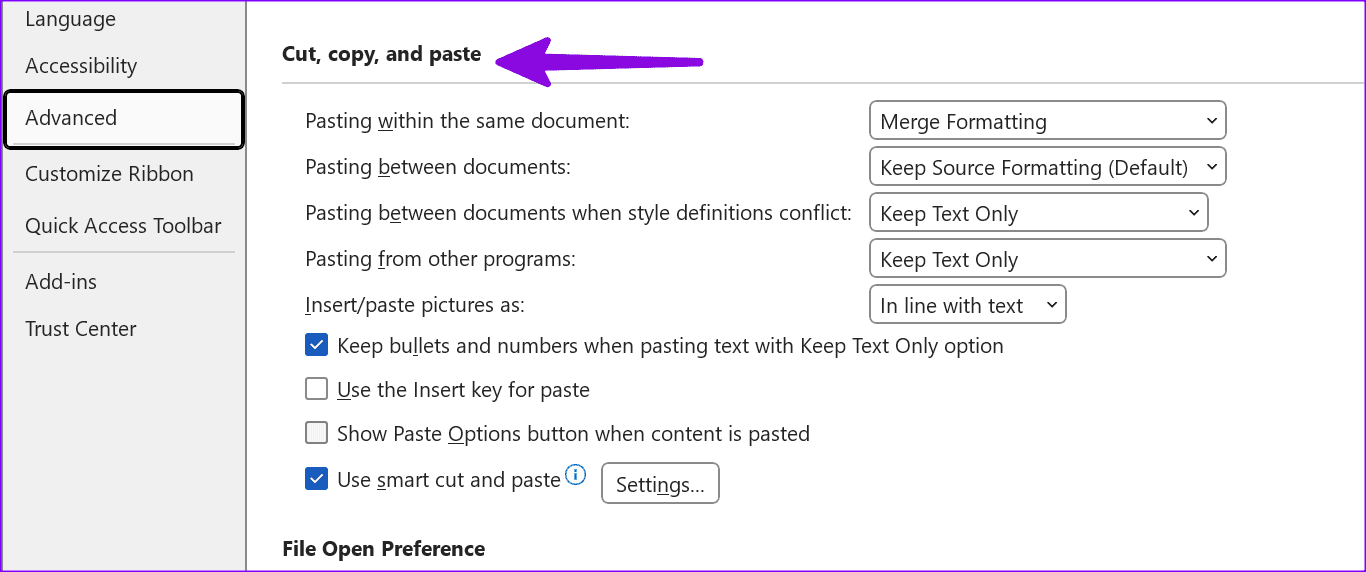
Yes, you heard it right. There's more than one kind of paste, and Word can get a bit confused if you're using the wrong one. If you're right-clicking and selecting 'Paste', that's the 'Merge Formatting' paste. It's like the clingy friend who wants to bring all their drama into your party.

If you want to avoid that, try using 'Ctrl + Alt + V' instead. That's the 'Keep Text Only' paste. It's like the chill friend who comes over and leaves all their baggage at the door. Much better, right?
So, Why Should You Care?
Because, my friend, learning to navigate these little quirks is half the fun of using Word! It's like learning a secret language. And once you've mastered it, you'll be copy-pasting like a pro, saving time, and impressing your friends with your mad Word skills.
So, the next time Word gives you the cold shoulder, don't get frustrated. Instead, think of it as a little challenge. A chance to learn something new. Because that's what makes using Word - and life, really - so much fun.
Now, go forth and conquer that copy-paste! You've got this.